Upload and Embed Publications on Wix
This guide walks through uploading and embedding your PDF publication on Wix.
You can publish as a flipbook, slide presentation, or reflowable publication.
Preparations
Make sure FlowPaper Desktop Publisher is available before you start.
If needed, try the publisher free: FlowPaper App
1) Share your publication on FlowPaper Cloud
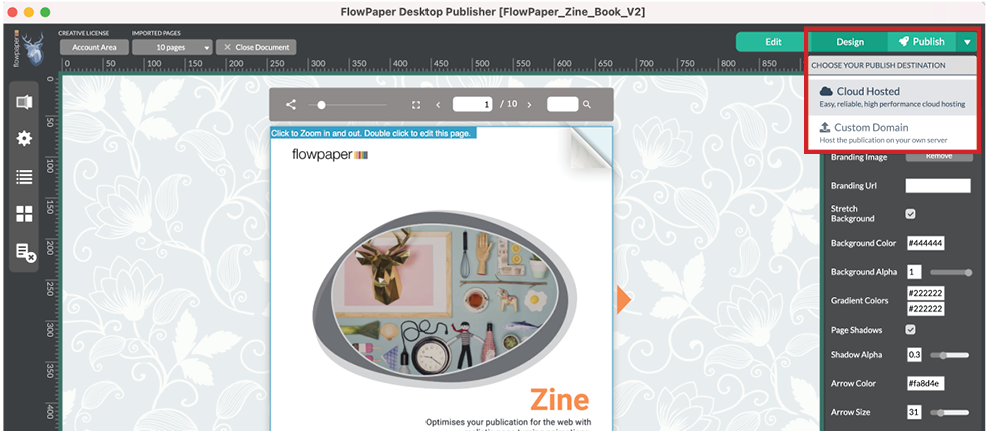
Your publication must be online before embedding.
In Desktop Publisher, click Publish and choose Share on FlowPaper Cloud.
When upload completes, the Embed on Website option appears.
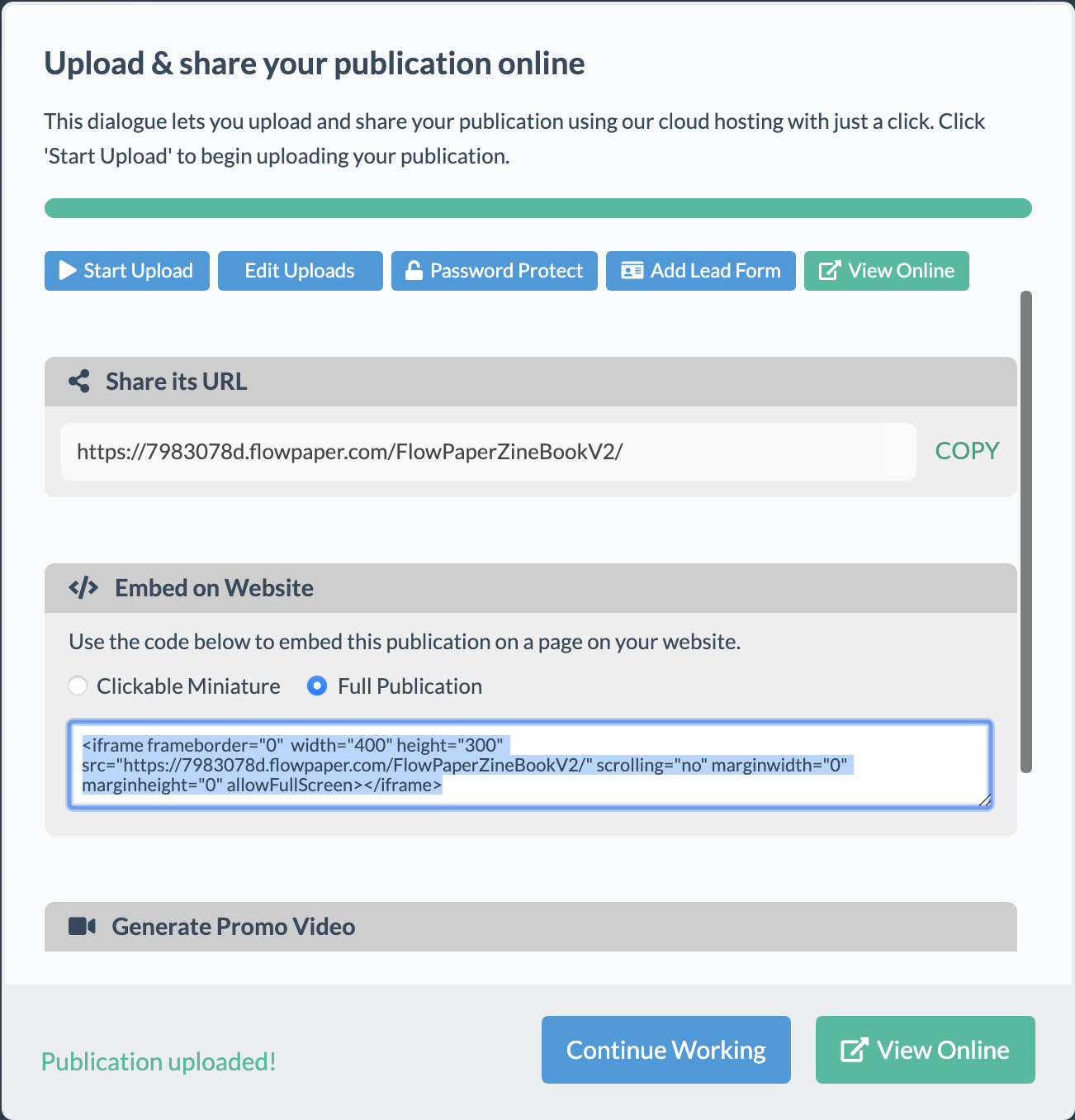
Choose either Clickable Miniature or Full Publication, then copy the embed code.
2) Add the iframe component in Wix

In Wix edit mode, go to Add > Section to Page > HTML Embed and place the block where you want the publication.
3) Embed your publication
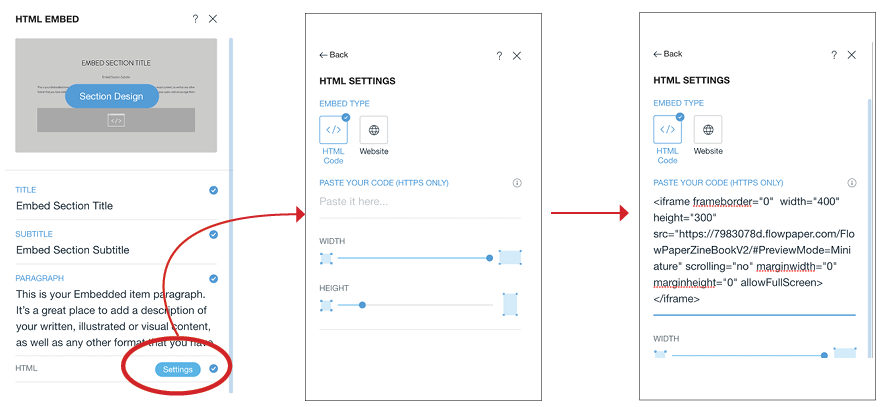
Open HTML settings and paste the copied code into the Paste Your Code area.
The embedded publication should render inside the new section.
4) Adjust publication display
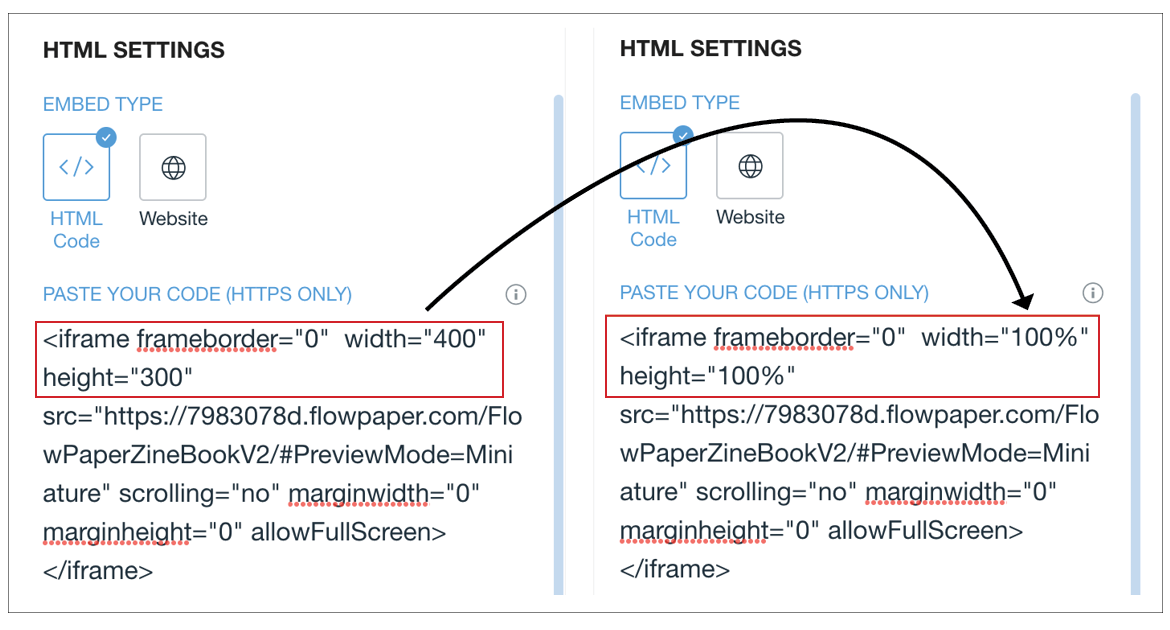
To get correct proportions, edit the embed code and set width and height values to 100%.
Then continue using Wix’s editor to fine-tune layout and placement.