How to Embed a PDF in Squarespace
This guide shows how to embed a PDF flipbook on your Squarespace website using FlowPaper.
Embedding displays interactive content directly on your page so visitors can browse without leaving your site.
Install FlowPaper Desktop Publisher before starting.
1) Publish your document and copy the embed code

Make sure your publication is styled and ready to upload.
-
Click Publish in the top-right corner, choose Share on FlowPaper Cloud and Start Upload.
-
Copy the embed code.

2) Add a code block in Squarespace
In Squarespace, open page editing and click Add Block.
Choose an Embed block. The quickest method is to search for embed in the block picker.
3) Paste embed code and adjust layout
-
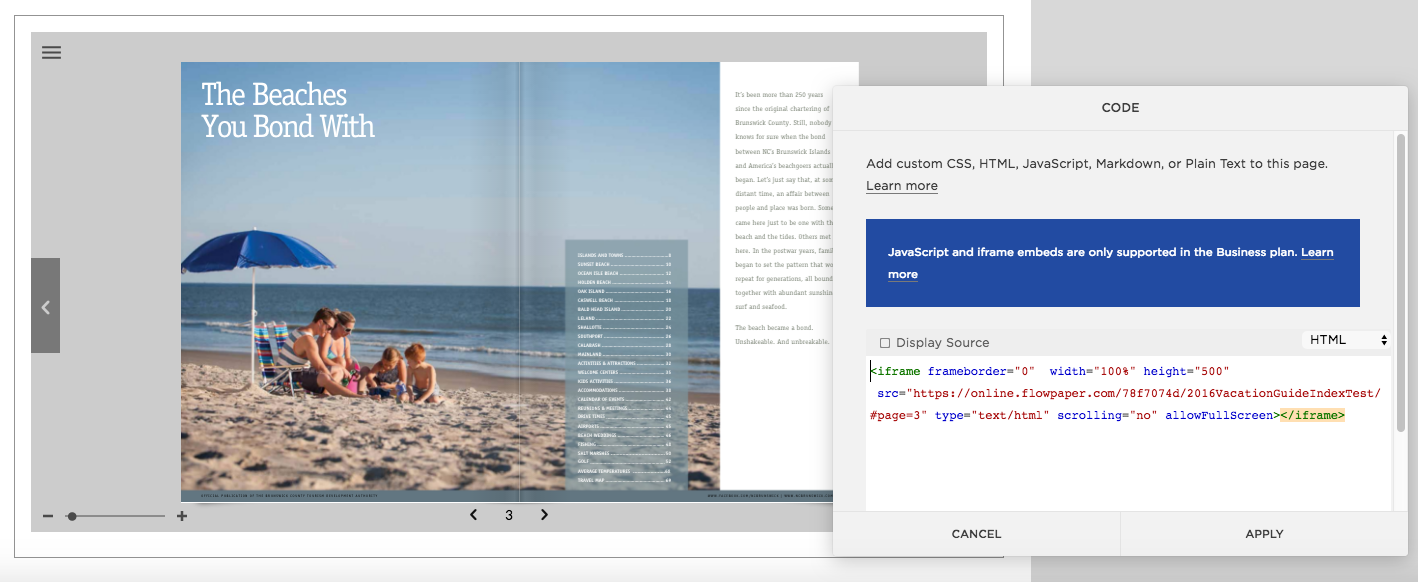
Paste the FlowPaper embed code into the code block
-
Or adjust
widthandheightvalues in the embed code
Once saved, the publication appears where you inserted the code block.
Related tutorials
How to Animate Text, Headers, and Pages in a PDF