Track Publications with Google Analytics
FlowPaper supports Google Analytics tracking so you can measure how readers interact with your publications.
This helps you understand page views, reader behavior, time spent, and overall engagement.
Video tutorial
Add your tracking code to FlowPaper
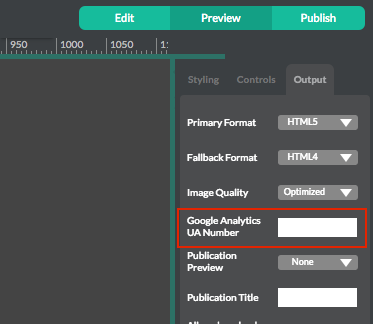
Copy your Google Analytics tracking code and paste it into Publishing Settings in FlowPaper Desktop Publisher, under the Google Analytics field.
After configuring the rest of the publication settings, publish and upload your content as normal.
View publication statistics in Google Analytics
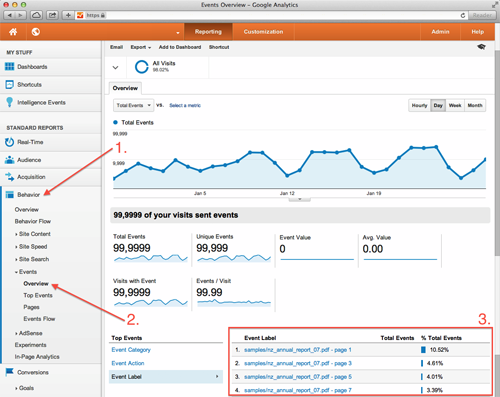
Open your Google Analytics account and go to the Behavior section, then choose Events.
From there, you can inspect reporting by category, action, or label.
Viewing by label is useful because it can show how many times each page in the PDF has been viewed.