Enable Social Sharing for Your Publications
FlowPaper Zine lets you and your readers share publications across social networks such as X, Facebook, Tumblr, and LinkedIn, and also provides embed options for websites.
Requirements:
- FlowPaper Desktop Publisher
- An account on the target social platform
Access social sharing settings
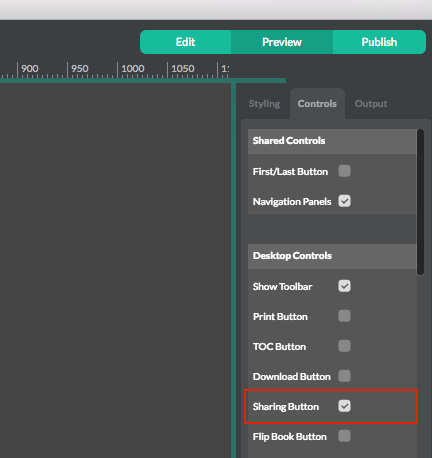 Publish your document through Desktop Publisher and open the social sharing settings from the toolbar.
Configure social sharing options
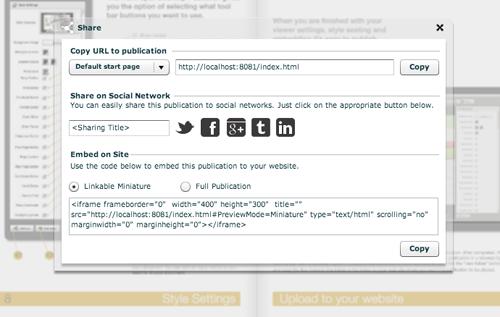 When readers click the social sharing button in the top menu, a sharing dialog opens.
In this dialog, you can:
- Share using the publication URL
- Choose a specific landing page
- Set a custom share title
- Select social network targets
- Copy embed code for websites
Social sharing is available starting from version 2.2.3.