Collect Leads from Your Publications
Adding a lead form to your digital publication can help generate new business opportunities, improve campaign performance, and grow your contact database.
FlowPaper includes a built-in lead form feature for magazines, brochures, flipbooks, and other publication types.
Video tutorial
How to generate leads from your PDF documents
Make sure you are using the latest version of FlowPaper before enabling lead forms.
1) Import your PDF
Lead capture is available in Zine, Elements, and Mobile-first templates.
2) Style and customize your publication
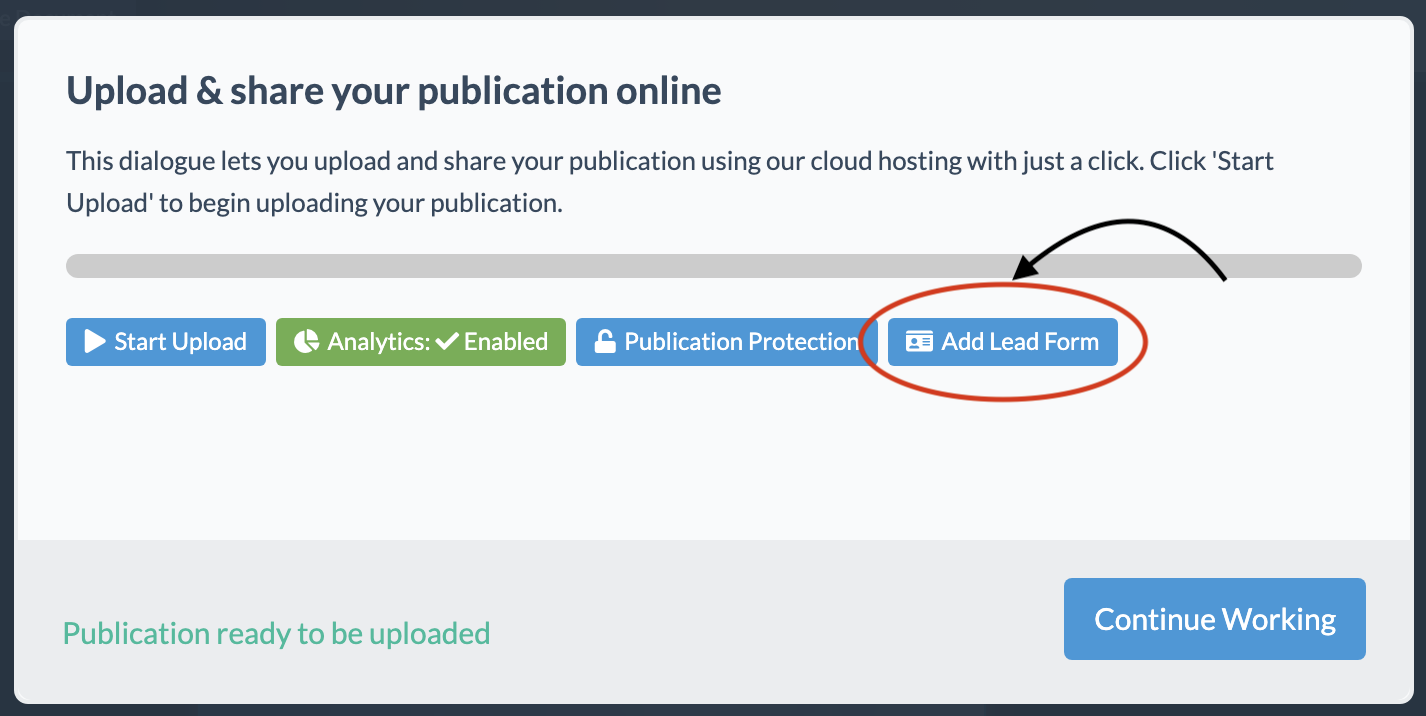
When the publication is ready to publish, choose Cloud Hosted from the publish menu.
In the publishing dialog, select Add Leads Form.
3) Enable and customize the lead form
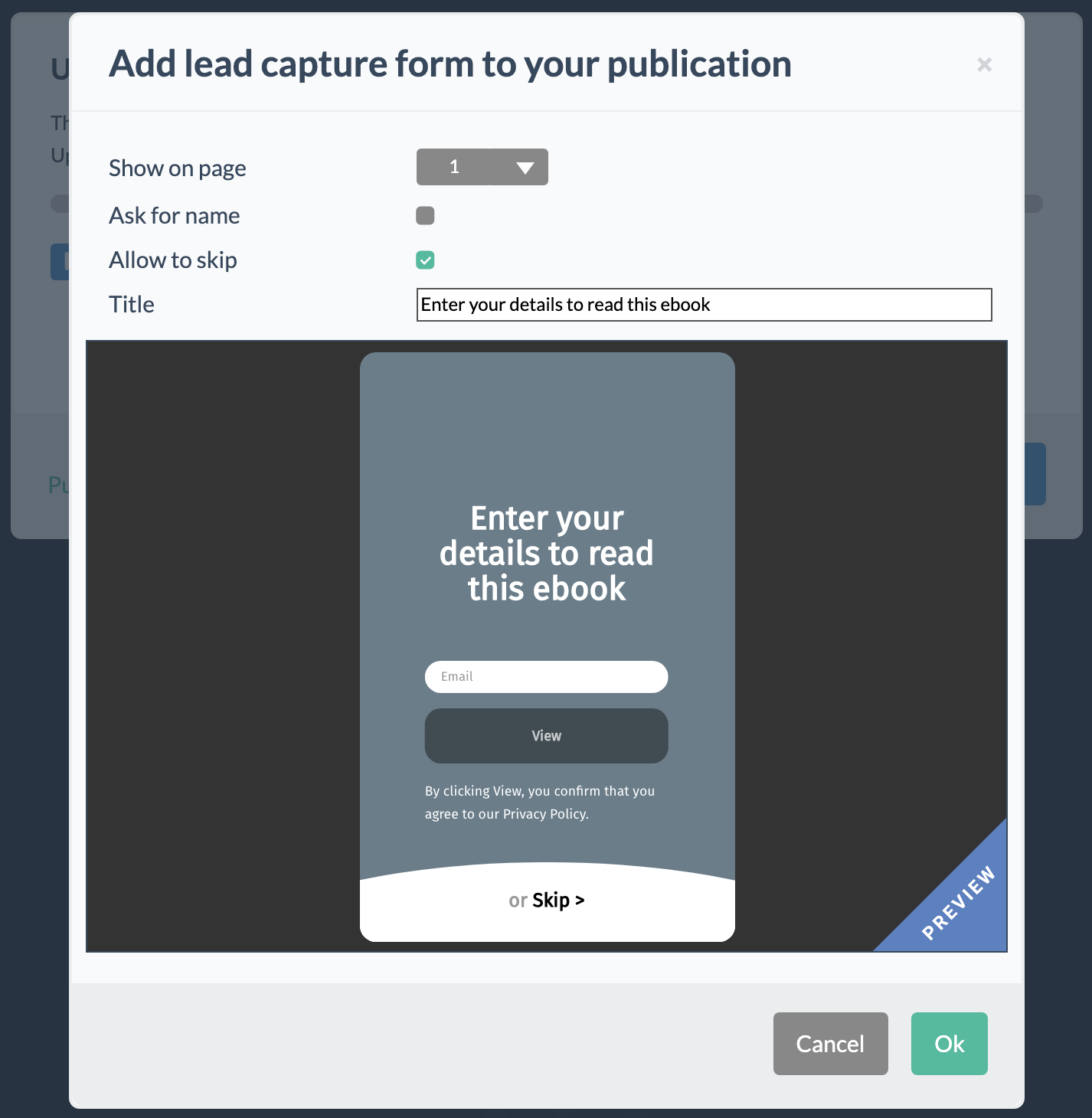
The lead form settings let you choose:
- Which page the form appears on
- Whether to request name or email
- Whether the reader can skip the step
- A custom form title
4) Upload the publication
Once customization is complete, click OK and continue publishing as normal.
In the live publication, the form appears on the selected page, and it can still trigger even if the reader jumps deeper into the publication.
5) View the finished publication
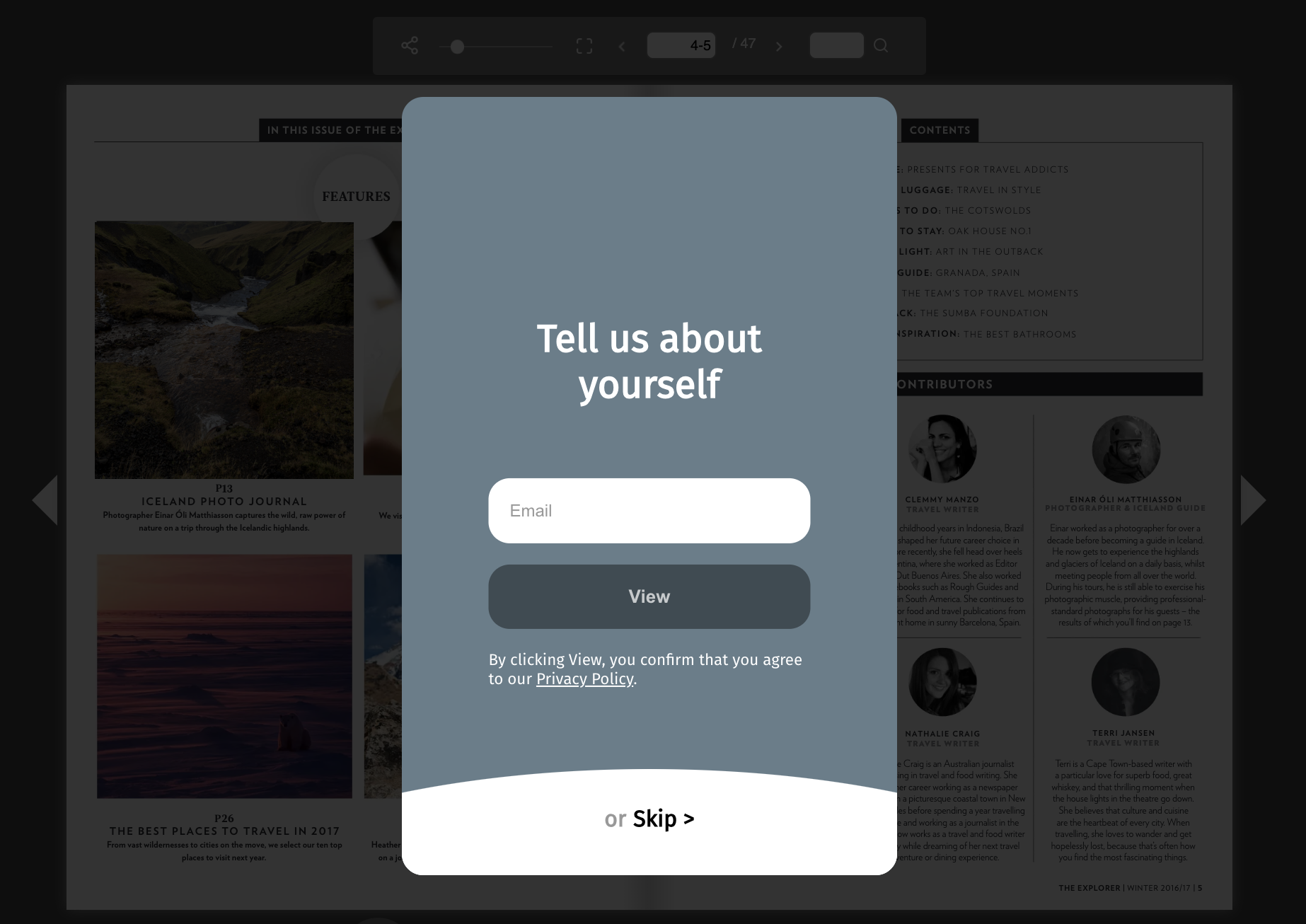
After upload, click the view button in the publishing dialog to verify that the lead form appears on the intended page.
6) Disable a lead form later
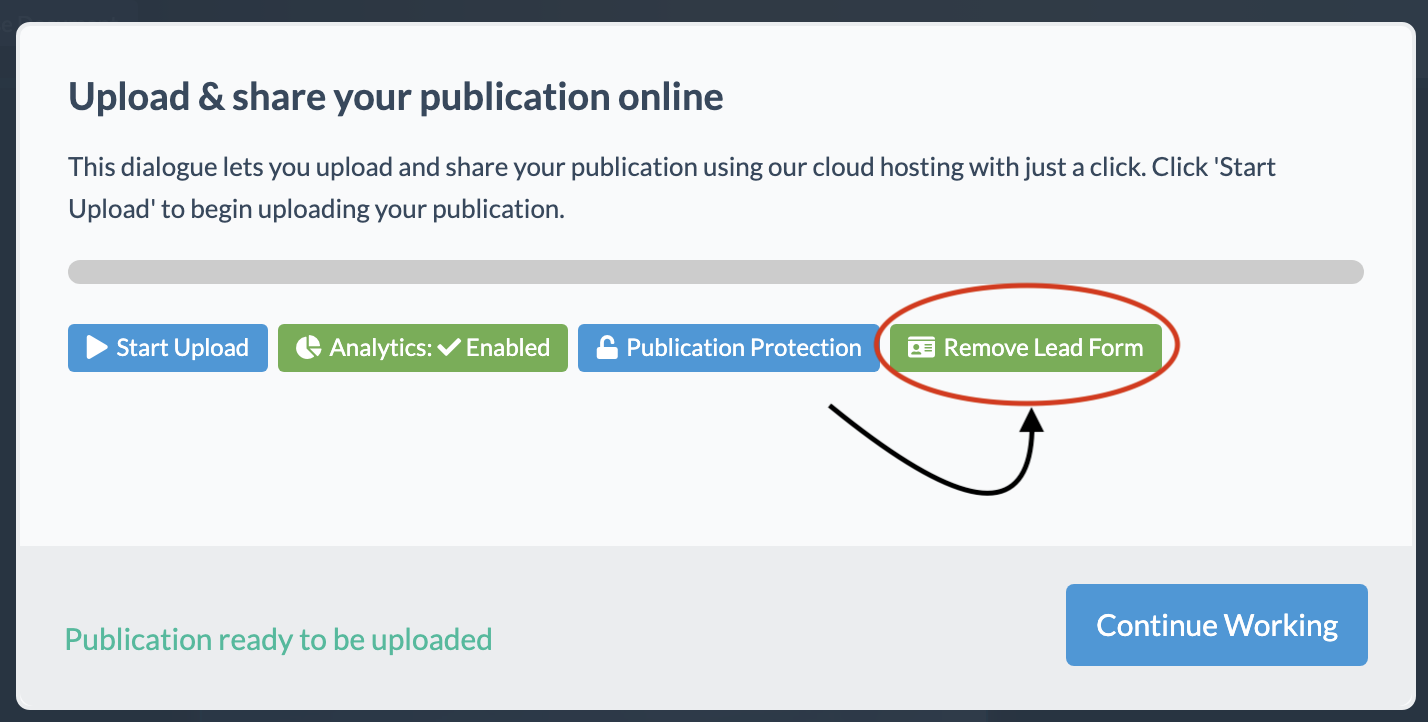
If you later decide to remove the form, reopen the publishing window and disable it.
You must re-upload the publication for the change to affect the active live version.
View collected leads
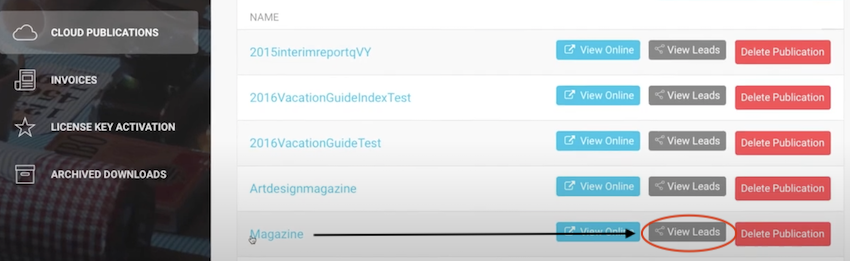
Log in to your account, open Cloud Publications, and select View Leads for the relevant publication.
You can sort by date, search records, and export lead data to CSV.
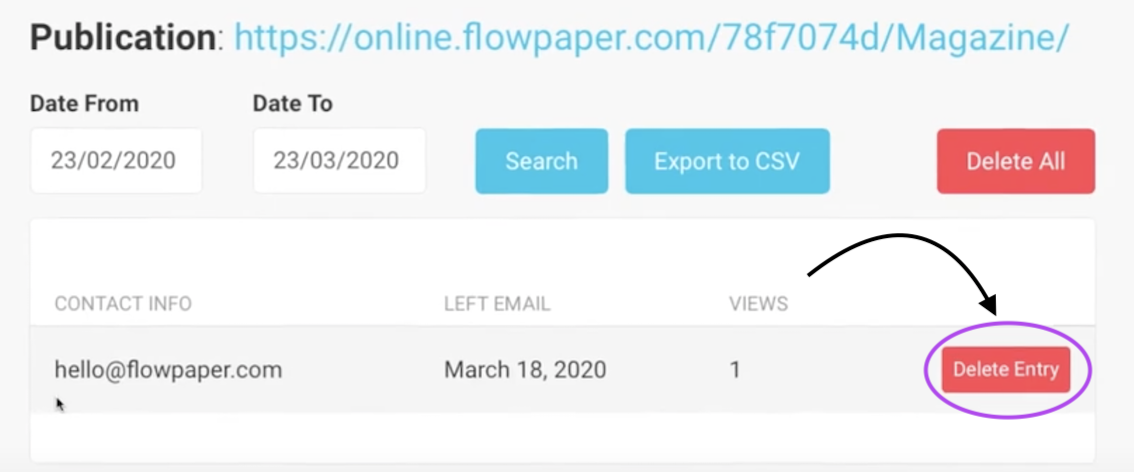
For GDPR compliance, you can delete all collected leads or remove individual entries from the lead form window.
Benefits of lead generation
Build your customer base
Use your publications to reach readers who are already interested in your products or services.
Less manual work
Once enabled, lead generation runs automatically with minimal ongoing effort.
Brand awareness
Lead generation increases awareness of your business and can expand your pool of potential customers.
Easier tracking
Lead forms make it easier to measure publication performance and optimize future campaigns.